Applying a screen protector feels like a simple task. Peel, place, press -done.
And yet, most people end up with tiny bubbles, slight misalignment, or dust trapped underneath. Not because it’s complicated, but because a few small steps are usually rushed.
When you’re working with an iPhone 17 Pro Max screen protector, precision matters. The good news? Getting a perfectly clean, bubble-free finish is completely doable -if you follow the right approach.
Step 1: Start With the Right Environment
Before even touching the box, look around your environment. The biggest enemy for you here is dust. Having a clean, dust-free environment, such as a room with low ventilation, is a huge advantage for you.
As a tip, many people recommend doing this after a hot shower, when the dust has settled. It may sound crazy, but trust me, it helps.
Step 2: Clean the Screen Thoroughly
This step is important for everything that follows.
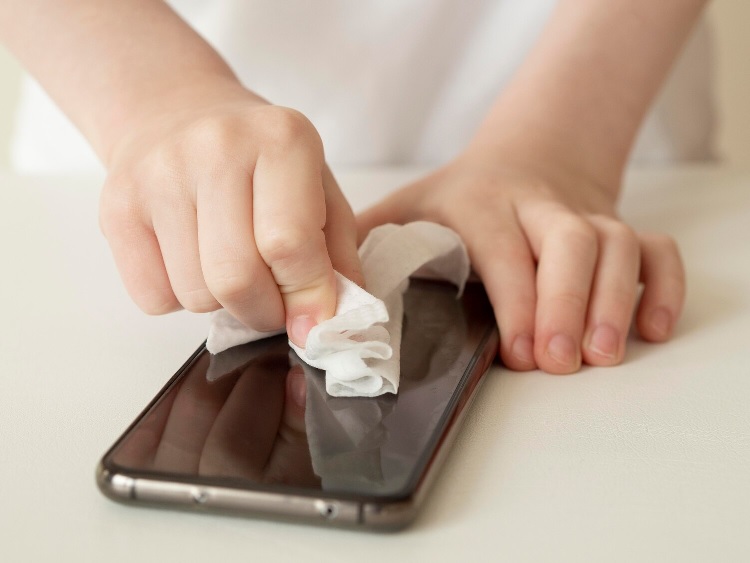
You are provided with a cleaning kit; inside are a wet wipe and a dry cloth. First, clean the screen, and then dry it.
Next, use a dust-removal sticker to remove dust particles. Dust particles may form a bubble below your iPhone screen protector. So, take your time and do this step, as it is worth the trouble.
Step 3: Align Before You Apply
Don’t rush into sticking the glass.
Put your iPhone 17 Pro Max screen protector on the screen without removing the adhesive backing first. This helps you understand how it aligns, how it fits around the edges.
Once you feel comfortable, take it off. This little exercise helps prevent most alignment problems.
Step 4: Apply With Control, Not Speed
Now comes the actual application.
Peel off the protective film and gently place the glass from one side -usually starting from the top or bottom edge. Let it slowly settle onto the screen instead of pressing it down forcefully.
A high-quality iPhone screen protector will begin to self-adhere as it comes into contact. Once it’s placed, press lightly in the centre to help the adhesive spread evenly.
Step 5: Handle Bubbles the Right Way
If you see small bubbles, do not worry. Most small bubbles will go away on their own within a few hours. If some bubbles do not go away, you can try pushing them to the edge with a soft cloth.
If a bubble doesn’t move, it’s likely caused by dust. In that case, you may need to lift the glass slightly and remove the particle using a dust sticker.
Patience is key here -forcing it will only make things worse.
Step 6: Let It Settle
Now that you’ve applied it, you have to wait for a while. You should not put your phone in your pocket immediately after applying this screen protector. In addition, you should not apply pressure to your screen. Let the adhesive settle naturally for a few hours.
This helps ensure a stronger, more even bond.
Where the Right Product Makes It Easier
While technique matters, the quality of the product plays an equally important role.
A well-designed screen protector simplifies the entire process. The RhinoTech Genuine Tempered Glass – Engineered by Corning™ comes with an applicator kit that helps with precise alignment, reducing the chances of error.
It’s built for easy, bubble-free installation, so even first-time users can get it right. At the same time, features like dust-free protection support and smooth adhesion ensure a clean finish without constant adjustments.
Add to that its clarity, touch responsiveness, and durability, and it’s designed to make both application and daily use effortless.
A Perfect Finish Is All About Small Details
Applying a screen protector isn’t about skill -it’s about attention. The right environment, proper cleaning, careful alignment, and a bit of patience can give you a flawless result.
A well-applied iPhone 17 Pro Max screen protector doesn’t just look better – it performs better too. And a good iPhone screen protector should feel like it was never applied in the first place. Because when done right, it simply disappears into your screen.